DualSense Controller Features Explained
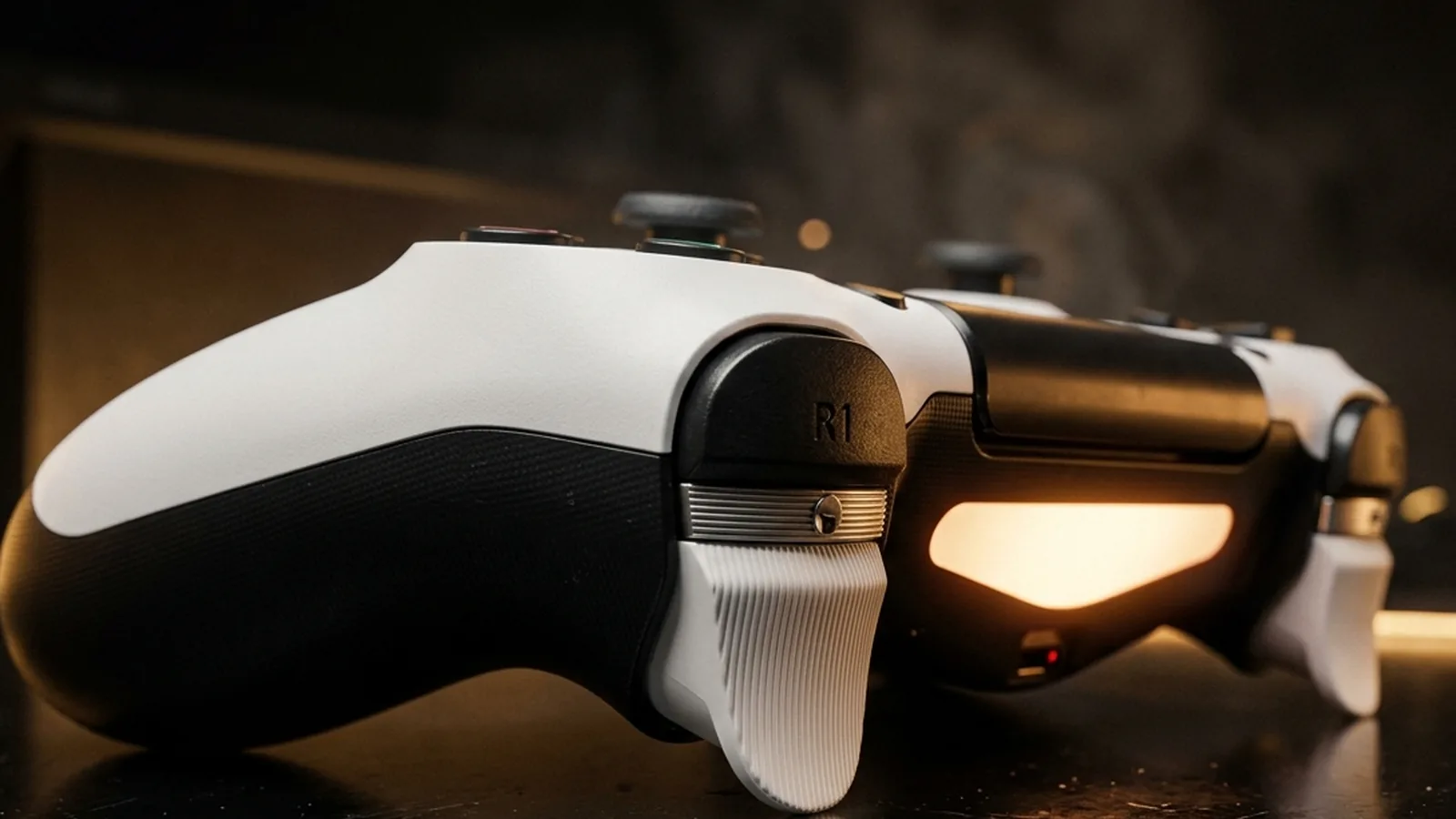
DualSense controller features are the things that set the PlayStation 5 pad apart from older controllers: haptic feedback, which gives detailed vibration, and adaptive triggers, which push back against your fingers. It also has a touchpad, motion sensors, a built-in microphone and a light bar. Games decide how much of this they use.
In short
- Haptic feedback replaces simple rumble with finer, more varied vibration you feel in your palms.
- Adaptive triggers can change how hard L2 and R2 press back, depending on the game.
- The pad also has a touchpad, motion sensors, a microphone and a light bar.
- Each game decides which features it uses, so some barely use them.
- You can reduce vibration and trigger effects in the PS5 settings if they tire your hands.
If you have only played on an older controller, the DualSense can feel odd at first. Your trigger may fight back and your hands may pick up small textures. This guide is for anyone about to play a PS5 in Mumbai or Navi Mumbai, including first-timers. It explains each feature with an everyday comparison and says what you will really notice.
What are the DualSense controller features?
The DualSense is the standard controller for the PlayStation 5 (PS5), and its main features are haptic feedback, adaptive triggers, a touchpad, motion sensors, a microphone and a light bar. Wikipedia's page on the DualSense lists the hardware in detail, and Sony's PS5 page for India describes the console it belongs to.
The quick version:
| Feature | What it does | Where you notice it |
|---|---|---|
| Haptic feedback | Fine, varied vibration | Driving, footsteps, weather |
| Adaptive triggers | Variable resistance on L2 and R2 | Bows, brakes, pulling a lever |
| Touchpad | A touch surface on the front | Menus and some game actions |
| Motion sensors | Detect tilt and movement | Aiming and puzzles in some games |
| Microphone | Picks up your voice | Voice chat without a headset |
| Light bar | Coloured light on the pad | Player identification, some game cues |
Not every game uses every row. A fighting game may use almost none of this, while a game built for the pad may use most of it.
What is haptic feedback?
Haptic feedback is a way of making a controller vibrate with much more detail than the old rumble motor. "Haptic" simply means related to the sense of touch.
Older pads usually had one or two weighted motors that spun, so a vibration felt like a general buzz on the left or right. The DualSense uses voice-coil actuators, a type of small electromagnetic part that can produce quick, varied movements. The practical result is that different surfaces can feel different. Think of the gap between a phone that buzzes in your pocket and a phone that gives a crisp tap when you type. The second one is the haptic idea.
In games, that can mean rain feeling different from gravel, or a car on a kerb feeling different from a car on tarmac. It is most noticeable in games that were designed for it, and least noticeable in older titles that only send a basic vibration. The concept of feedback through touch is also behind steering wheels, as explained on the force feedback page, though a wheel pushes back on your arms while the DualSense mostly talks to your palms and fingers.
What are adaptive triggers?
Adaptive triggers are the L2 and R2 buttons with built-in resistance that a game can change from moment to moment. A trigger can feel stiff, loose, or like it clicks through a stop partway.
A useful comparison is a real-world object. Pulling back a bowstring has increasing tension. Pressing a car brake has a firm point. A hand brake has a notch. A game can copy those feelings in the trigger, so your finger gets information as well as your eyes.
Here are the effects players usually notice:
- Tension: the trigger gets harder to pull as you go, like a bow.
- Stop points: it resists, then gives way, like a gun trigger.
- Vibration: the trigger buzzes, for example in a car losing grip.
- Light touch: it moves freely, for a gentle action.
Does it make you better? Not in a measurable way, and we do not have data to claim otherwise. What it does is add feedback. In a racing game, a brake pedal that pushes back can feel more natural, though a real wheel and pedals give much more of that feel. If you are curious about the difference, our post on PS5 vs gaming PC covers where each platform suits you.
What else is on the controller?
The other DualSense parts are smaller but useful: a touchpad, motion sensors, a microphone, a speaker, a light bar, a Create button and a headset jack. Each has a clear purpose.
- Touchpad: a touch surface on the front. Some games use swipes or taps. It also acts as a button.
- Motion sensors: these detect tilt and rotation. A few games use them for fine aiming or small puzzles.
- Microphone and mute button: you can talk without a headset, and the mute button turns the mic off.
- Speaker: a small speaker in the pad that games can use for sounds.
- Light bar: coloured light along the touchpad, which games and the system can use to show status.
- Create button: the button for capturing and sharing gameplay, which sits where older pads had a Share button.
- 3.5 mm headset jack: plug in wired headphones.
Sony's PlayStation Support site is the right place for current setup help and troubleshooting.
Do all games use these features?
No. Each game decides which DualSense features it supports, and some use almost none. A game made mainly for older consoles may only send a standard vibration.
That is why two people can disagree about the pad: they may simply have played different games.
A simple way to judge a game is to look at its description on the PlayStation Store or its official page, where support for these features is usually listed. If you are not sure, the first few minutes of play will tell you. Pull the triggers in a menu, try a driving or shooting scene, and see whether anything pushes back.
A first-time checklist
A good first session with a DualSense takes five minutes of paying attention, not a manual. Here is a sequence that works:
- Hold it naturally. Rest your fingers on the triggers and your thumbs on the sticks.
- Pick a game that clearly uses the features, ideally one with driving, archery or a weapon with two firing modes.
- Play a few minutes with the defaults. Notice what you feel.
- Adjust if needed. The PS5 has settings for vibration and trigger effect strength, so you can make them lighter if they tire your hands.
- Take breaks. Long sessions with strong resistance can make fingers and wrists tired.
Keep a loose grip and take short pauses. This is general information, not medical advice. If you get ongoing pain or numbness, see a doctor.
Common mistakes with the DualSense
The most common mistake is expecting every game to feel dramatic. The features exist, but games choose whether to use them.
Other slips:
- Gripping too hard. Adaptive triggers push back, and a tight grip fights them. Relax your hands.
- Judging from one game. A game that barely uses haptics tells you little about the pad.
- Ignoring the settings. If the trigger feels heavy, lower it, rather than putting up with it.
- Assuming the pad does everything on every platform. A DualSense can be connected to other devices, but how much of the haptic and trigger behaviour works depends on the device and the game. Check the official pages before relying on it.
If you are interested in how input devices differ for PC players, our guide to mechanical keyboard switches looks at the keyboard side.
How this works at Playsole
At Playsole Gaming Lounge, PlayStation 5 consoles are one of the three equipment types, alongside gaming PCs and racing-simulator rigs. If you want to try a PS5 and its controller, you can book a station and see the features for yourself.
PS5 stations can seat up to four players, so friends can try the pad together. Some PS5 stations use large TVs. The booking page shows live what is available at Playsole Kharghar and Playsole Vile Parle, and equipment varies by outlet, so check the page for the outlet you plan to visit. You can filter by machine type or by game on that page.
Which controller accessories or games each station has depends on the outlet, so if you want to try a particular feature, check the booking page or ask the lounge team first. For ideas on what to play in a group, see PS5 couch co-op games.
FAQ
What is the difference between haptic feedback and rumble?
Rumble is a basic buzz from spinning motors. Haptic feedback on the DualSense uses actuators that make finer, more varied vibrations, so different surfaces and actions can feel different. It depends on the game, so a title that only supports basic vibration will feel closer to older controllers.
What are adaptive triggers on the PS5 controller?
They are the L2 and R2 triggers with resistance that a game can change. A trigger might feel stiff like a bow, click through a stop like a gun, or vibrate like a slipping tyre. Support depends on the game, and you can usually lower the strength in the PS5 settings.
Do I need a headset to talk on a PS5?
Not always. The DualSense has a built-in microphone, so you can talk without a headset, and a mute button to switch it off. A wired headset can plug into the 3.5 mm jack on the pad. For clearer voice chat, many players still prefer a headset.
Does the DualSense make you better at games?
There is no solid evidence that it does, and we would not claim it. It adds feedback, which some players find helps them judge things like braking or tension. Practice, game knowledge and good habits improve your play far more than the controller does.
Can I use a DualSense on a PC?
A DualSense can be connected to a PC, but support for features such as haptics and adaptive triggers depends on the game and the setup. Basic button input is the easy part. If special features matter to you, check the game's official page before assuming they will work.
Why does my hand feel tired after playing?
Gripping tightly, pressing hard against strong trigger resistance, or playing for a long time can tire your hands. Relax your grip, lower vibration and trigger strength in settings, and take short breaks. This is general information, so see a doctor if pain or numbness persists.
Next step
The best way to learn the DualSense controller features is to feel them. Book a PS5 station on the booking page, pick a game that uses the pad well, and spend your first five minutes just testing the triggers and the vibration.
If you are choosing between platforms, read PS5 vs gaming PC next. If you are planning a night with friends, best PS5 multiplayer games will help you pick what to play. And if you wonder whether any of this leads to a career, esports careers in India is a good place to start.